AI Tools Every Student Should Know in 2026: Study Smarter, Save Time, and Boost Productivity
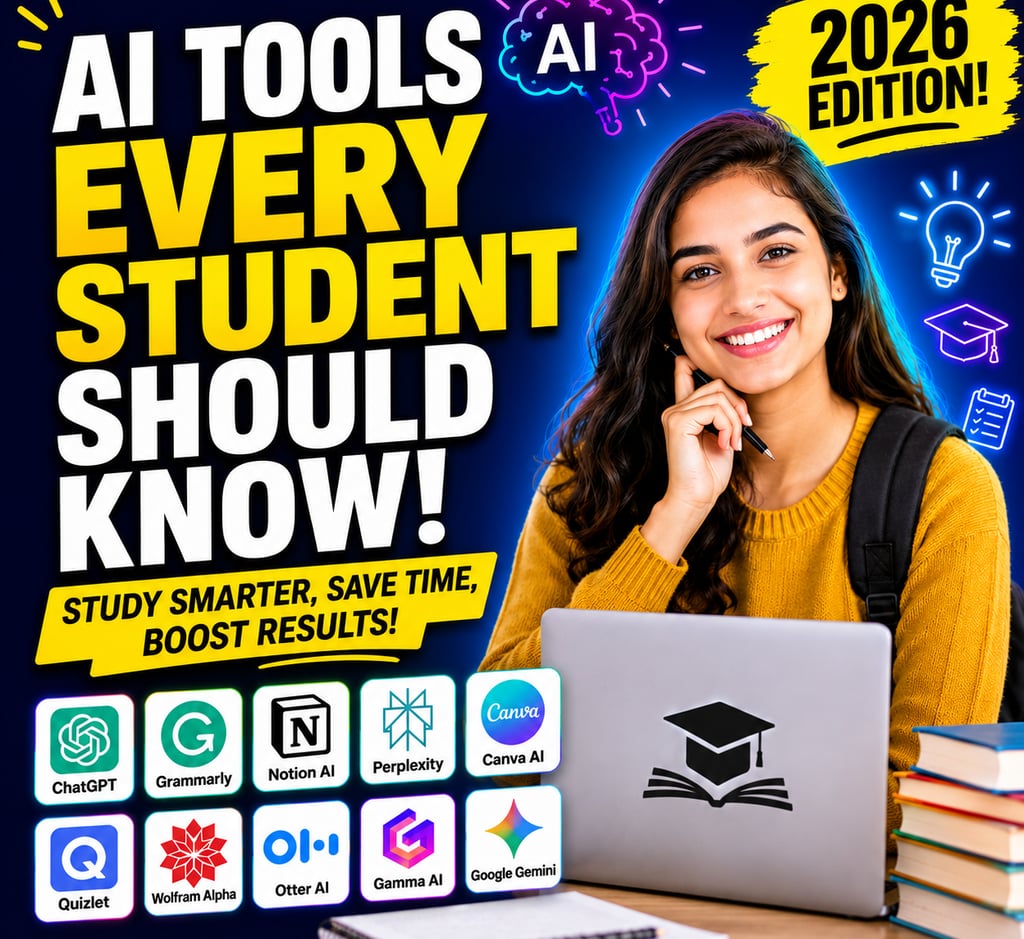
Discover the best AI tools every student should know in 2026. Learn how ChatGPT, Grammarly, Notion AI, Quizlet, and more can boost productivity, improve learning, and save study time.
Hasnain Shaikh
6/22/20262 min read
Introduction
Artificial Intelligence (AI) is transforming the way students learn, research, write, and organize their academic lives. From generating study notes to solving complex equations, AI-powered tools can help students save hours of work and improve their learning efficiency.
Whether you're in high school, college, or preparing for competitive exams, knowing the right AI tools can make studying easier and more productive.
In this guide, we'll explore the best AI tools every student should know in 2026, along with their features, benefits, and practical uses.
Why Students Should Use AI Tools
AI tools are designed to assist—not replace—learning. When used responsibly, they can help students:
✅ Summarize lengthy chapters
✅ Generate study notes
✅ Improve writing skills
✅ Solve mathematical problems
✅ Create presentations quickly
✅ Organize schedules and assignments
✅ Learn new concepts faster
1. ChatGPT – Your Personal Study Assistant
Best For:
Research, explanations, writing assistance, brainstorming, and coding help.
Features
Explains difficult concepts in simple language.
Generates essay outlines.
Assists with homework questions.
Creates quizzes and flashcards.
Helps learn programming languages.
How Students Can Use It
Ask questions like:
Explain photosynthesis in simple terms.
Summarize this chapter in 100 words.
Create a weekly study timetable.
Generate MCQs for exam practice.
Benefits
✔ Saves research time
✔ Available 24/7
✔ Personalized learning experience
2. Grammarly – Improve Writing Instantly
Best For:
Essays, assignments, emails, and reports.
Features
Grammar correction
Spell checking
Tone suggestions
Vocabulary enhancement
Plagiarism detection (Premium)
Benefits
Students can write more professionally and avoid common grammar mistakes.
3. Notion AI – Smart Note-Taking Made Easy
Best For:
Organizing study materials and project planning.
Features
AI-generated summaries
Task management
Lecture note organization
Content generation
Student Uses
Maintain semester notes.
Track assignments.
Create revision checklists.
Benefits
Keeps everything in one organized workspace.
4. Perplexity AI – Research Faster
Best For:
Academic research and finding reliable information.
Features
Provides source-backed answers.
Searches the web in real time.
Summarizes articles.
Benefits
Students can quickly gather information for projects and presentations without spending hours searching online.
5. Canva AI – Design Like a Pro
Best For:
Presentations, posters, infographics, and resumes.
Features
AI presentation generation
Magic Design tools
Image editing
Social media graphics
Student Uses
Create visually appealing projects.
Design resumes.
Build presentation slides.
Benefits
No graphic design skills required.
6. Quizlet AI – Smarter Exam Preparation
Best For:
Memorization and revision.
Features
AI-generated flashcards
Practice tests
Learning games
Adaptive study modes
Benefits
Makes studying interactive and helps retain information more effectively.
7. Wolfram Alpha – Solve Complex Problems
Best For:
Mathematics, engineering, and science subjects.
Features
Step-by-step solutions
Equation solving
Graph generation
Scientific calculations
Student Uses
Ideal for:
Algebra
Calculus
Physics
Statistics
Benefits
Helps students understand problem-solving methods rather than just getting answers.
8. Otter AI – Automatic Lecture Notes
Best For:
Recording lectures and meetings.
Features
Speech-to-text transcription
Real-time note generation
Searchable transcripts
Benefits
Students can focus on listening during lectures instead of writing everything down.
9. Gamma AI – Create Presentations in Minutes
Best For:
School and college presentations.
Features
AI slide creation
Professional templates
Visual storytelling tools
Benefits
Transforms ideas into polished presentations quickly.
10. Google Gemini – Powerful Learning Companion
Best For:
Research, brainstorming, and content creation.
Features
Explains concepts clearly
Assists with coding
Summarizes documents
Supports multiple languages
Benefits
Useful for students handling diverse subjects and research projects.
Tips for Using AI Responsibly
While AI tools are helpful, students should use them wisely.
Follow These Best Practices
✔ Use AI to understand concepts, not copy assignments.
✔ Verify facts from trusted sources.
✔ Edit AI-generated content in your own words.
✔ Respect school and university academic integrity policies.
✔ Combine AI assistance with independent learning
Final Thoughts
AI is rapidly becoming an essential part of modern education. The best students in 2026 won't necessarily be those who study the longest—they'll be the ones who use technology intelligently to learn more efficiently.
By incorporating tools like ChatGPT, Grammarly, Notion AI, and Perplexity AI into your daily routine, you can improve productivity, reduce stress, and make studying more engaging. Remember, AI works best as a learning partner that enhances your skills, creativity, and understanding rather than replacing your own effort.
Connect
Stay in touch for fresh insights weekly.
Call
contact@growthverse.blog
+91 7738177635
Website designed by Shopper Space Enterprises